
New Custom Setting: f11 “Cycle Image Area Using Built-in TC”
We have added a [
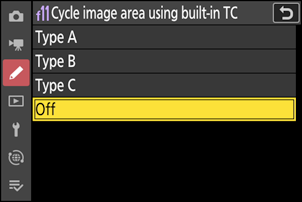
| Option | Description |
|---|---|
| [Type A] | Sliding the lens teleconverter switch to 1.4× selects [DX (24 × 16)] image area. Sliding the teleconverter switch to 1× selects [FX (36 × 24)] image area. |
| [Type B] | Sliding the lens teleconverter switch to 1.4× does not change the image area. Sliding the teleconverter switch to 1× selects [FX (36 × 24)] image area. |
| [Type C] | Sliding the lens teleconverter switch to 1.4× selects [DX (24 × 16)] image area. Sliding the teleconverter switch to 1× does not change the image area. |
| [Off] | Sliding the lens teleconverter switch does not change the image area. |